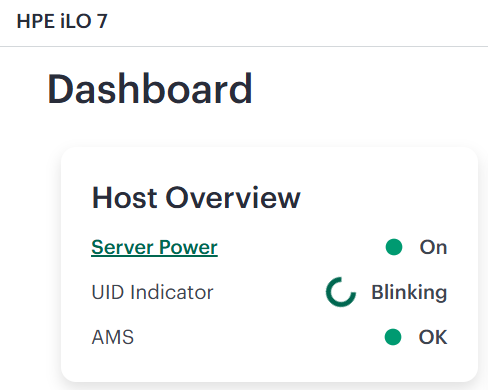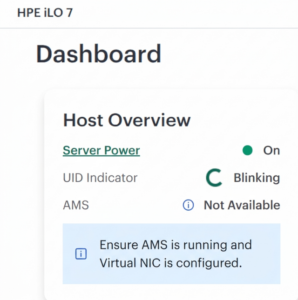
HPE Agentless Management Service (AMS) not running on an HPE Gen12 server with HPE iLO 7?
This guide explains why the issue occurs and how to configure communication among AMS, Smart Update Tools (SUT), and iLO.
Why This Happens
On HPE Gen12 servers with HPE iLO 7, the HPE Agentless Management Service uses the HPE iLO Virtual NIC (vNIC) to communicate with iLO. If iLO is configured in a high-security mode, AMS and SUT require an application account or valid iLO credentials. The application account is created once and stored securely in the system’s Trusted Platform Module (TPM).
Step 1: Check the AMS Service Status
Run the following command:
/etc/init.d/amsdv status
Example output showing that one AMS component is not running:
amsdv-smadvrev is not running
amsdv-ahsdv is running
amsdv-amsdv is running
amsdv-smadv is running
Step 2: Check the AMS Application Account
Check whether an AMS application account is already stored:
/opt/amsdv/bin/amsdCli appaccount check
If no valid account is found, create one with an authorized iLO user:
/opt/amsdv/bin/amsdCli appaccount create -u <ilo-username> -p <ilo-password>
Expected confirmation:
App account successfully created in iLO and stored in TPM.
For Windows use:
c:\Program Files\OEM\AMS\Service\amscli appaccount create -u <ilo-username> -p <ilo-password>
Step 3: Verify the AMS Application Account
Run the account check again:
/opt/amsdv/bin/amsdCli appaccount check
Successful validation should return:
App account for AMS is found in TPM.
App token is valid and active.
Step 4: Check the SUT Status
Check whether Smart Update Tools can communicate with iLO:
sut -status
If SUT reports that iLO is configured in a high-security mode and requires an application account, create the SUT application account:
sut appaccount create -u <ilo-username> -p <ilo-password>
Expected confirmation:
App account successfully created in iLO and stored in TPM. Use the command sut appaccount delete to delete the app account from TPM.
Step 5: Verify the Final SUT Configuration
Run the status command once more:
sut -status
A healthy configuration should display the update manager, task state, staging directory, operating mode, polling interval, queued-update setting, and iLO security mode without the previous application-account warning.
System Update Manager……………….: Compute Ops Management
Task Status………………………..: Bios:N/A; LocalStorage:N/A; Deploy:Idle
Staging Directory…………………..: /tmp/stagingdirectory
Baseline URI……………………….: None
Baseline Version……………………: Waiting for staging
Mode of Operation…………………..: autostage
Polling Interval In Minutes………….: 5
Force Deploy……………………….: No
Optional Components…………………: None
EnableiLOQueuedUpdates………………: true
iLO Security Mode…………………..: SecureStandard
iLO CAC Smartcard Authentication……..: Off
iLO CAC Strict Mode…………………: Off
Result
After the AMS and SUT application accounts have been created and validated, both tools can communicate with HPE iLO 7 over the Virtual NIC. The account information remains protected in the TPM, so this is usually a one-time configuration.